


Word Card: Word Connect
4.965.00 Reviews
App Specs
- Version
- 2.0.1
- Updated On
- License
- Free
- Downloads
- 10,000+
- Developer
- Superaid Games
- Categories
- Word
- Platform
- Android
Screenshots
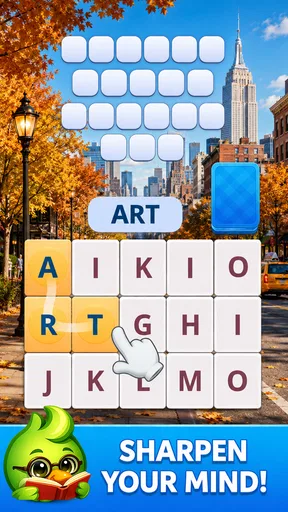
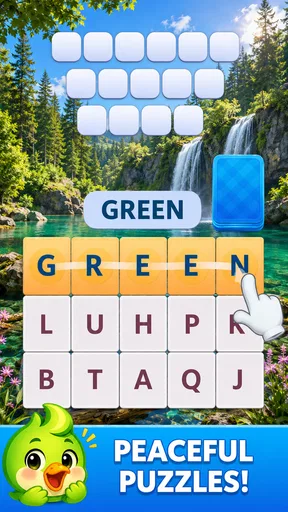
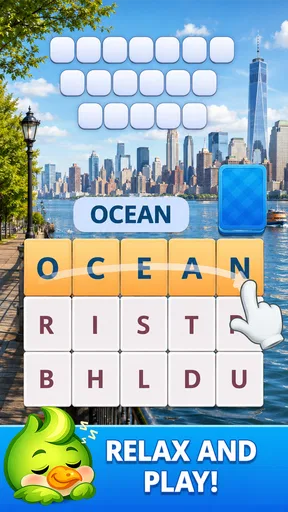
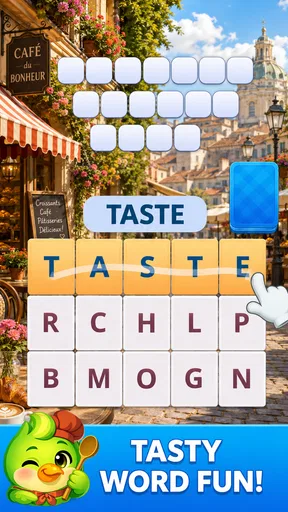
 Analysis by AppCompare
I spent time with Word Card: Word Connect, a free word game from Superaid Games that turns short puzzle sessions into a simple vocabulary workout. Its central idea is easy to understand: connect cards, uncover words, and keep moving through bite-sized challenges instead of committing to a long match. That focus gives the game a relaxed feel, but it also means the experience depends heavily on whether you enjoy gradual word discovery more than competition or deep strategy.
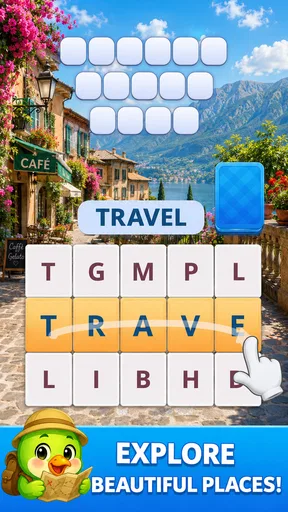
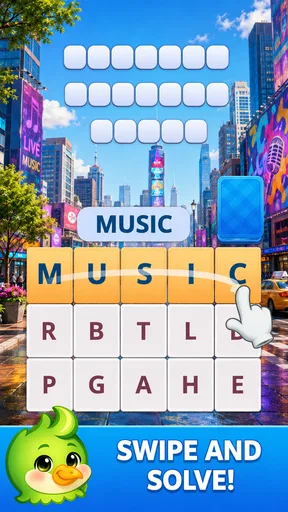
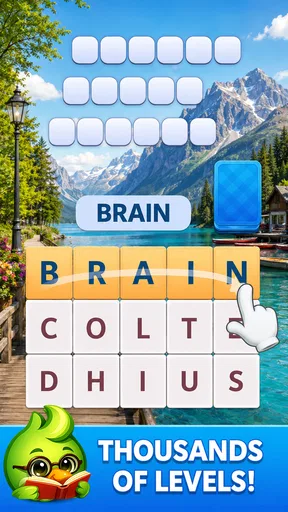
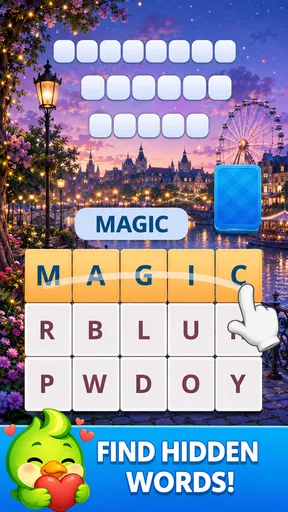
What stood out to me most is how the card-connection mechanic changes the usual word-puzzle rhythm. You are not simply staring at a blank grid and guessing from memory. The cards give the puzzle a visible structure, so I can scan possible relationships, test a word, and adjust my thinking when the first idea does not work. The strongest part of Word Card is the small mental reset it creates between attempts: each puzzle feels contained, which makes it suitable for a quick break, a quiet evening, or a few minutes when I want something more active than scrolling.
Why connecting cards makes the word search feel different
Many familiar word games rely on one dominant action. Crossword-style apps ask me to interpret clues, anagrams ask me to rearrange letters, and endless word searches reward visual scanning. Word Card: Word Connect sits closer to the anagram and matching side of that family, but its card presentation gives each discovery a more tactile sense of progress. The cards act as both clues and boundaries, helping me focus on the available possibilities rather than inventing an answer from an unlimited dictionary.
That distinction matters for casual players. When I open a traditional crossword, I may need a specific level of general knowledge before I can make progress. Here, the emphasis is more immediate: inspect what is in front of me, connect likely pieces, and see whether the result forms a usable word. The process feels less intimidating, particularly when I want a game that exercises language without making every mistake feel like a failure.
The game is listed in the Word category, and that description fits its purpose better than calling it a general brain-training title. Its value comes from repeated word recognition, spelling awareness, and flexible thinking. I would not treat it as a formal language course, because solving puzzles is not the same as learning grammar or receiving structured vocabulary lessons. Still, it can encourage me to notice familiar word patterns and become more comfortable experimenting with letters.
One useful habit is to avoid connecting the most obvious cards immediately. I found that taking a moment to look for shorter and less predictable combinations can prevent me from using up a promising path too early. This is not a complicated strategy, but it changes the game from random tapping into a more deliberate scan. I also get better results when I mentally group possible letters by sound or word ending instead of looking at each card in isolation.
A calmer alternative to speed-first word games
Word Card: Word Connect does not need to be played like a race. That is important because many word games create pressure through timers, leaderboards, or constant competition. The appeal here is more personal: I can try to improve my own ability to spot words and enjoy the satisfaction of completing a small puzzle. For someone who wants a quiet distraction, that is a meaningful advantage over a game designed around rapid reactions.
Worth Reading Before You Choose

Flipboard Shows What News Apps Must Do Beyond the Feed

Switching to Android Auto Means Rethinking Your Driving Routine

Google Calendar Makes a Crowded Week Easier to Manage

Ludo King Makes the Most of the Minutes Between Plans

Baby Panda World Brings Quick Play to Modern Phones, but Its Game Library Feels Busy

ESPN’s Live Game View Makes Following Close Games Easier
At the same time, players who need a strong competitive hook may find the format too gentle. If your favorite word app is one where you challenge friends, chase a daily rank, or compare completion times, this game may feel limited by comparison. Its main reward is the puzzle-solving process itself, not a social contest. I see that as a deliberate trade-off rather than a flaw, but it should shape your expectations before installing it.
The store summary presents the game as a way to relax while training the brain, and my experience supports that general mood. The relaxation comes from the narrow scope of each task: I have one small word problem to consider, not a large map, story, or set of controls. The brain-training angle is modest and practical. It gives me a reason to pay attention, recognize patterns, and retrieve words, but it should not be mistaken for a measurable cognitive program.
How I use it during an ordinary day
The most natural use case is a short pause between activities. Imagine waiting for a meeting to begin or sitting with a coffee while the rest of the house is quiet. I can open the game, solve a few card puzzles, and stop without feeling that I have abandoned a larger mission. That makes it easier to fit into a routine than a story-driven game that expects longer sessions or a strategy game that punishes interruptions.
I also found the format useful when I wanted to switch off without becoming completely passive. Reading a long article or watching a video asks me to follow someone else’s pace. A word puzzle gives me a small amount of control: I choose where to look, which connection to test, and when to pause. That level of involvement is enough to keep the break engaging without turning it into a demanding task.
For families, the Everyone content rating makes the game approachable across age groups. I would still recommend treating it as a shared puzzle activity rather than assuming every child will find the vocabulary equally easy. A younger player may enjoy the card interaction but need occasional help with unfamiliar words. An older player may appreciate the same puzzle as a light spelling exercise. The broad age rating makes it suitable for casual household use, while the actual enjoyment will depend on vocabulary level and patience.
One of my favorite ways to approach this type of game is to use it as a warm-up. Before writing, studying, or doing another language-heavy task, I can spend a short time looking for combinations. The benefit is not that the game teaches the next subject directly. Instead, it shifts my attention toward letters and word forms, which can make the transition into reading or writing feel less abrupt.
A practical method for getting more from each puzzle
I recommend a three-pass approach. On the first pass, I look for obvious words without forcing anything. On the second, I examine the remaining cards for common beginnings, endings, or letter pairs. On the final pass, I try less familiar combinations and reconsider words I dismissed because they seemed too short or unusual. This method reduces the temptation to tap randomly and gives the puzzle a rhythm that feels more rewarding.
Another useful adjustment is to stop treating a failed connection as wasted time. In a word game, an unsuccessful attempt can reveal how the cards are meant to relate, even when it does not produce the answer I expected. I use that information to narrow the next search. The result is a more patient style of play, especially for people who normally abandon word puzzles after one or two uncertain guesses.
I would not rely on the game as my only source of vocabulary practice. If your goal is to prepare for an exam, build professional terminology, or study a new language systematically, a dedicated flashcard or lesson app will serve you better. Word Card: Word Connect is strongest as an informal supplement. It gives me repeated exposure to word construction, but it does not replace explanations, pronunciation practice, or a planned curriculum.
Where the experience works well and where it asks for patience
The biggest strength is accessibility. I do not need a long tutorial to understand the basic objective, and the card-based layout makes the current task easy to read. That simplicity is valuable when I am tired or distracted. I can start playing almost immediately, and the game does not require me to remember a complicated set of rules before the puzzle becomes enjoyable.
The same simplicity can become the main weakness for experienced word-game players. Once the basic interaction is familiar, the sense of discovery depends on the quality and variety of the puzzles. Players who want layered clues, elaborate word definitions, or a large strategic system may eventually want something more substantial. I would choose a crossword app for clue-solving depth, a competitive word board game for social tension, or a language-learning tool for structured progress.
The free price lowers the barrier to trying it, which is helpful for anyone unsure whether this style of puzzle suits them. The game includes in-app purchases ranging from $1.99 to $99.99 per item, so I would pay attention to the purchase flow and keep spending under control if children use the device. The presence of optional purchases does not erase the appeal of a free download, but it is a practical consideration for anyone looking for a completely cost-free experience.
There is also a difference between relaxing difficulty and repetitive difficulty. A gentle puzzle can be exactly what I want at the end of the day, but if every session feels too familiar, my interest may fade. This is why I see the game as something to rotate with other activities rather than as the only word title on my phone. Its best role is a dependable, low-pressure option, not necessarily a single game that satisfies every kind of puzzle appetite.
The current version is 2.0.1, and the listed minimum operating system is Android 7.0. That makes it accessible on a wide range of older Android devices, which is useful if you are installing it on a spare phone or a family tablet rather than a recent flagship. Device age can still affect comfort through screen size and responsiveness, so I would prefer a display large enough to make individual cards easy to distinguish during longer sessions.
Who should skip it
I would skip this game if you mainly want real-time multiplayer, a strong narrative, or a demanding competitive ladder. The card-connection concept is built around focused individual solving, so it is not the right replacement for a social word board game. I would also look elsewhere if you expect detailed definitions after every answer or a formal learning path that tracks language progress.
It may also disappoint players who dislike trial and error. Even with careful scanning, some puzzles require experimentation, and not every session will deliver an immediate answer. That uncertainty is part of the appeal for me, but someone who prefers direct clues and guaranteed logic may find it less satisfying. In that case, a crossword or clue-based puzzle would provide clearer guidance.
Finally, people who want a completely distraction-free app should consider the in-app purchase structure before settling in. The game is free to try, but the available purchase range means it is sensible to review device purchase controls, particularly when the app is shared. That is not a reason to reject it automatically; it is simply part of using a free mobile game responsibly.
Who gets the most value from this word game
The best audience is someone who enjoys language puzzles but does not always have time for a full session. Students can use it as a light break between study blocks, adults can fit it into commuting downtime, and families can solve cards together without needing a complex explanation. I also think it suits people returning to word games after a long absence because the basic interaction is approachable.
Its audience is reflected in the response around it: the game has an average rating of 4.8 from around 423 ratings, with roughly 63 written reviews, and it has passed 10K+ installs. Those figures suggest a positive early reception, while the relatively focused scale of the game tells me not to expect the enormous ecosystem of a long-established word franchise. I read that as a reason to try it personally rather than as proof that it will suit every puzzle fan.
Superaid Games has kept the concept easy to explain, and that is one of the reasons I can recommend giving it a chance. The game does not ask me to learn a complicated system before I reach the enjoyable part. Its value appears gradually through repetition: I become more attentive to word shapes, more willing to test unusual combinations, and more comfortable treating a short puzzle as a useful pause rather than another obligation.
My practical recommendation is to install it when you want a free, low-pressure word game with a card-based focus. Start with short sessions, use the three-pass method instead of tapping at random, and decide after several puzzles whether the pace feels satisfying. If you want competition, deep clues, or structured language study, pair it with a different app rather than expecting this one to cover every need.
Overall, I enjoyed Word Card: Word Connect most when I treated it as a small daily mental reset. It is not trying to be a full classroom, a multiplayer arena, or an elaborate adventure. It succeeds when the simple act of connecting cards gives me just enough concentration to step away from routine. For casual word fans, its clearest benefit is dependable, low-pressure practice that can fit into real gaps in the day.
Pros
- Simple gameplay that is easy to learn within a few rounds.
- Short levels make it convenient for quick breaks or commutes.
- Helpful hints can get you past difficult word combinations.
- Offline play is useful when you have no internet connection.
- Gradually increasing difficulty keeps later puzzles more engaging.
Cons
- Some puzzles may accept only specific word forms or answers.
- Hint availability can become limited during longer play sessions.
- Repeated layouts may make extended sessions feel somewhat predictable.
- Progress may feel slow if you avoid optional purchases.
- Small interface elements can be less comfortable on smaller screens.
FAQs for Word Card: Word Connect
What is Word Card: Word Connect, and how does the gameplay work?
Word Card: Word Connect is a casual word puzzle game that combines letter challenges with a card-style presentation. You form words by connecting or arranging the available letters, then use the solutions to complete levels and progress through the game. The early stages are generally easy to understand, while later puzzles require a broader vocabulary and more careful thinking.
Is Word Card: Word Connect free to download and play?
The game can generally be downloaded and played without an initial purchase, making it accessible to users who enjoy short puzzle sessions. However, free games of this type may include advertising, optional in-app purchases, or systems that encourage players to buy hints and other resources. It is worth checking the store listing and purchase settings before allowing children to play.
Does Word Card: Word Connect require an internet connection?
Many word puzzle levels can often be played without a constant internet connection, which is useful when traveling or when mobile data is limited. Nevertheless, some features may depend on connectivity, including advertisements, reward collection, updates, synchronization, or promotional events. Availability can vary by device version, so testing the game offline after installation is recommended.
Are there hints or assistance options when a puzzle becomes difficult?
Word Card: Word Connect typically offers help for players who cannot find the next word, such as revealing a letter, removing an incorrect option, or providing another form of clue. These aids are useful when the available letters create several possible combinations, but they may be limited by an in-game currency or rewarded advertisements. Saving hints for genuinely challenging levels is usually the best strategy.
Is Word Card: Word Connect suitable for children and language learners?
The simple controls and word-focused gameplay can make Word Card: Word Connect suitable for older children, families, and people practicing English vocabulary. However, difficulty depends on the player’s existing language skills, and some words may be unfamiliar or more advanced than expected. Parents should also review advertising, optional purchases, and privacy permissions before recommending it to younger users.


